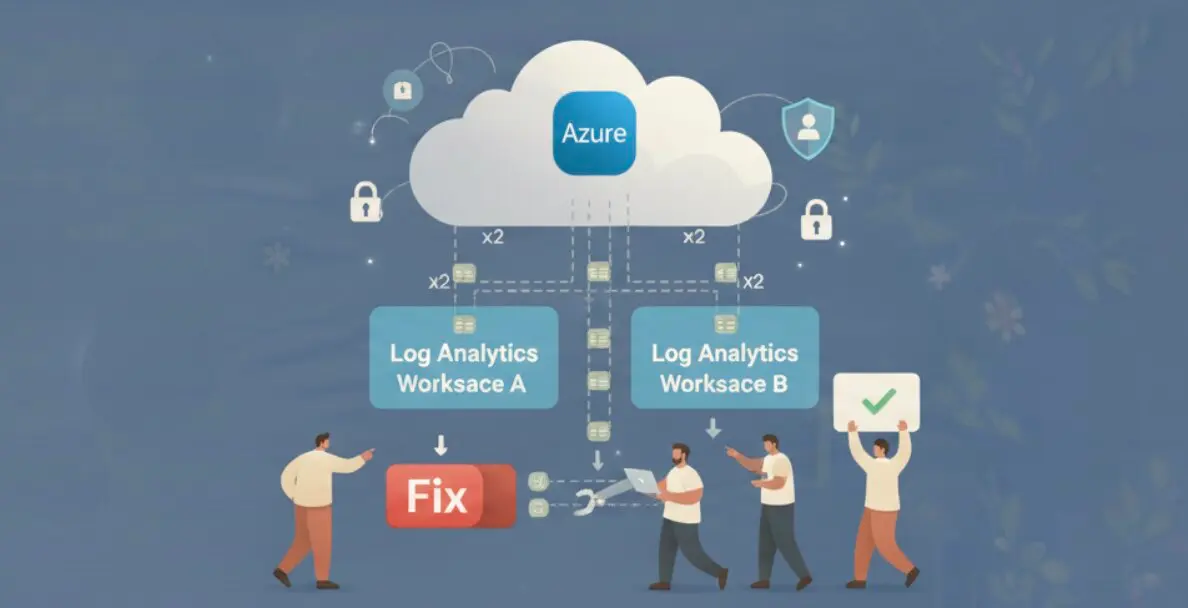

Your Log Analytics workspace is probably ingesting duplicate data right now. Not because of a bug you introduced, but because Azure’s diagnostic settings model has three specific patterns that silently produce duplicate ingestion. Azure charges $2.76 per GB for every byte that lands in a workspace, whether it is the first copy or the third. This is the same category of invisible waste that shows up in cloud cost anomaly detection: spend that grows without any visible trigger.
This post covers the three causes, how to detect which one you have, and how to fix each one permanently.
How Azure Diagnostic Settings Work (And Where They Break)
Every Azure resource emits telemetry: activity logs, metrics, resource-specific log categories. To get that data into Log Analytics, you create a diagnostic setting on the resource. The setting specifies which categories to ship and where to send them.

The problem starts with category groups. In 2022, Azure introduced allLogs and audit as shorthand group selectors. Instead of enabling 12 individual log categories by name, you enable allLogs and every current and future category for that resource type is included automatically.
The issue: if a resource already had individual categories configured before category groups existed, and then allLogs was added on top, both definitions ship the same categories. Azure does not warn you. It charges you for both.
Cause 1: Category Group and Individual Category Overlap
This is the most common cause of duplicate ingestion. It happens in two ways.
First, manual overlap: a team creates a diagnostic setting with allLogs enabled, then later adds another setting (or edits the same one) with individual categories also checked. Any category that falls under allLogs is now shipped twice.
Second, silent platform update: in 2023, Azure added the allLogs group to existing diagnostic settings in several resource types during a platform update. Resources that already had individual categories enabled ended up with both, and the duplication started without any configuration change on your end.

The resource types most frequently affected are Azure Key Vault, Azure Active Directory (Entra ID), Azure SQL, and AKS. These are high-volume sources where duplication has measurable cost impact within days.
| Resource Type | High-Volume Categories | Typical Daily Volume |
|---|---|---|
| AKS cluster | kube-audit, kube-apiserver | 50-150 GB |
| Azure SQL | SQLSecurityAuditEvents, Errors | 5-20 GB |
| Key Vault | AuditEvent | 1-5 GB |
| Entra ID | SignInLogs, AuditLogs | 10-40 GB |
An AKS cluster shipping 100 GB per day with one duplicate setting costs an extra $276 per day, $8,280 per month, for data you already have.
Cause 2: AMA and Legacy Agent Both Running
The Azure Monitor Agent (AMA) replaced the legacy Log Analytics Agent (also called MMA or OMS agent). Microsoft set the legacy agent end-of-life date to August 2024. The migration path involves installing AMA, creating a Data Collection Rule (DCR) that points to your workspace, validating data flow, then removing the legacy agent.
The trap: teams install AMA and create the DCR, confirm logs are flowing, and consider the migration done. The legacy agent is still running. Both agents collect the same events from the VM’s Windows Event Log or syslog and ship them to the same workspace.

The impact is worst for SecurityEvent and Syslog tables, which are the highest-volume tables in most environments. A VM shipping 10 GB/day of security events with both agents active costs $27.60/day extra per VM. Across 50 VMs in a mid-size environment, that is $1,380/day. The same kind of idle resource waste that accumulates silently until someone runs the numbers.
To check which VMs have both agents, run this in Azure Resource Graph or check via the Azure Monitor portal: look for VMs that have both a MicrosoftMonitoringAgent extension and an AzureMonitorWindowsAgent extension installed simultaneously.
Cause 3: Defender for Cloud Auto-Provisioning Collision
Microsoft Defender for Cloud has an auto-provisioning feature that automatically deploys monitoring agents and configures diagnostic settings on resources it monitors. When auto-provisioning is enabled at the subscription level, Defender creates its own diagnostic settings on resources to collect security-relevant log categories.
If your team also has manually created diagnostic settings on the same resources pointing to the same workspace, you have two separate ingestion pipelines for the same categories.

Defender-provisioned settings are identifiable by their naming pattern: they typically start with SecurityCenter- or MDC-. You can find them in the Azure portal under each resource’s Diagnostic settings blade, or query them via Azure Resource Graph with resources | where type == 'microsoft.insights/diagnosticsettings'.
The fix is not to disable Defender auto-provisioning. Instead, exclude the overlapping categories from your manual diagnostic setting. Let Defender own the security categories it cares about and configure your manual setting to cover only the non-security categories you need.
How to Detect Duplicate Ingestion With KQL
Before fixing anything, quantify the duplication. Run these queries in your Log Analytics workspace.
The first query finds tables with duplicate _ItemId values, which indicates the same event was ingested more than once:
| Query Purpose | KQL Pattern |
|---|---|
| Find duplicated events by table | TableName | summarize count() by _ItemId | where count_ > 1 |
| Estimate duplicate GB by table | Usage | where DataType == "TableName" | summarize sum(Quantity) by DataType, bin(TimeGenerated, 1d) |
| Find top duplicate sources | AzureDiagnostics | summarize count() by ResourceId, Category | where count_ > expected_daily |
| Identify dual-agent VMs | Heartbeat | summarize by Computer, Category | where Category in ("Direct Agent", "OMS Gateway") |
The Usage table is the most direct cost signal. It tracks ingestion volume per table per day in GB. If a table’s daily volume is consistently 2x what you would expect for the resource count, duplication is the likely cause.
For AKS specifically, query AzureDiagnostics | where Category == "kube-audit" | summarize count() by bin(TimeGenerated, 1h), _ResourceId. If the count per hour is double the expected API server request rate, the kube-audit log is being shipped twice.
The Fix: Remove, Don’t Disable
The key principle: delete the overlapping diagnostic setting entirely. Disabling individual categories in a setting while leaving allLogs active does not stop allLogs from shipping those categories. The only clean fix is deletion.

| Duplication Cause | Fix | Order of Operations |
|---|---|---|
| allLogs + individual category overlap | Delete the individual-category setting, keep allLogs only. Or delete allLogs and keep explicit categories. | 1. Identify overlap via portal. 2. Delete redundant setting. 3. Verify in Usage table after 24h. |
| AMA + MMA both running | Remove MMA extension from VMs after confirming AMA DCR is collecting correctly. | 1. Confirm AMA data in workspace (24h of data). 2. Remove MicrosoftMonitoringAgent extension. 3. Monitor for data gaps. |
| Defender auto-provision collision | Remove overlapping categories from manual setting. Let Defender own security categories. | 1. Identify Defender-managed categories (SecurityCenter- prefix). 2. Edit manual setting to exclude those categories. 3. Verify no data loss. |
After applying any fix, wait 24 hours before drawing conclusions. Log Analytics ingestion has up to 8 minutes of latency for standard tiers, and the Usage table aggregates daily. A same-day check will not reflect the change.
The last step is preventing re-duplication. New resources get diagnostic settings created manually, via Terraform, or via Azure Policy. Each of these paths can re-introduce overlap if the template is not audited. A standing audit that checks for resources with more than one diagnostic setting pointing to the same workspace, or resources where both allLogs and individual categories are enabled, catches new duplication within hours rather than at month-end billing review.
This is where automated cloud cost observability changes the economics of the problem. ZopNight monitors diagnostic settings configurations across your subscription and flags newly created duplicate pipelines before they accumulate weeks of duplicate ingestion cost. The detection runs continuously, not as a monthly audit.
Duplicate logs are a pure waste line. The data is identical, the insight value is zero, and the cost is real. Three configuration checks cover the vast majority: category overlap, dual agents, and Defender collision of duplicate ingestion in Azure environments. Run the KQL queries, find which pattern you have, and delete the redundant setting.