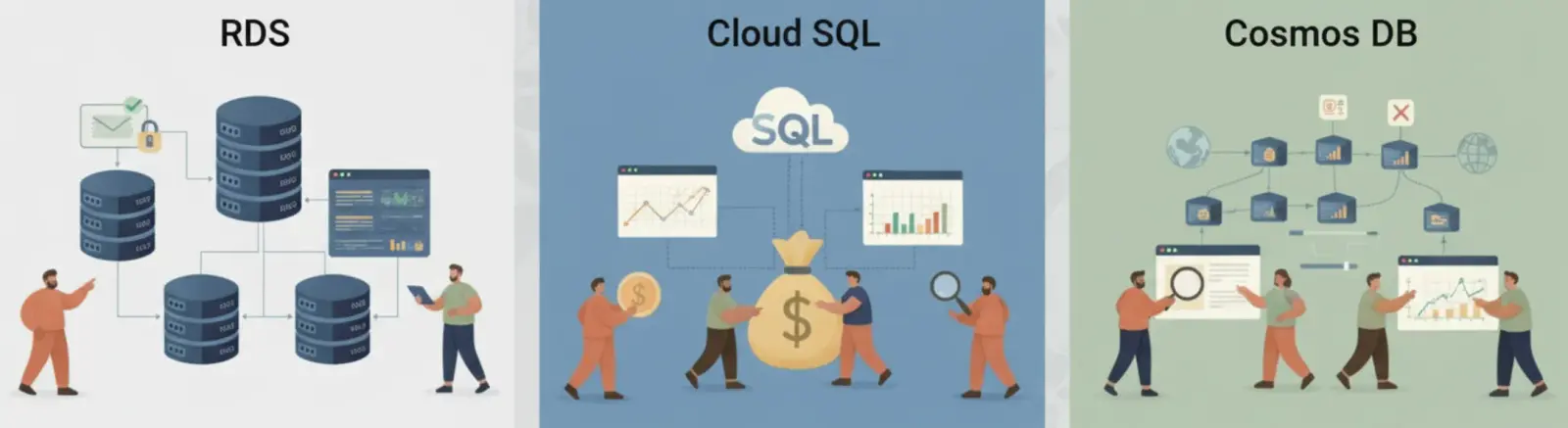
Compute costs are visible and easy to reason about: vCPUs times hours times price. Database costs are different. Each managed database platform has its own pricing model with its own hidden multipliers, and the levers that reduce cost on RDS have almost nothing to do with the levers that reduce cost on Cosmos DB.
Most teams approach database cost optimization by right-sizing instances. That helps, but it is rarely the biggest lever. The bigger problems are structural: Multi-AZ enabled on databases that never need failover, non-production databases running at 3 am on a Sunday, Cosmos DB containers provisioned for anticipated peak load that arrived six months ago and left, Cloud SQL storage that grew automatically and can never shrink.
This piece covers where the money actually goes on each platform, and the specific changes that reduce it.
Why Database Bills Are Harder to Optimize Than Compute
Compute instance costs are transparent. Database costs have multipliers embedded in the pricing model that are easy to miss when you first configure an instance.
| Platform | Base pricing unit | HA multiplier | Storage behavior | Hidden cost |
|---|---|---|---|---|
| Amazon RDS | Instance class (vCPU/RAM) per hour | 2x for Multi-AZ | gp2/gp3/io1, auto-grow optional | Cross-AZ data transfer at $0.01/GB |
| Google Cloud SQL | Instance tier (vCPU/RAM) per hour | ~2x for High Availability | Auto-grows, never auto-shrinks | Egress charges for cross-region replicas |
| Azure Cosmos DB | Request Units per second (RU/s) | N/A | $0.25/GB-month | Region multiplier: N write regions = N x RU cost |
The HA multiplier on RDS and Cloud SQL is the most commonly misapplied cost driver. Multi-AZ doubles your instance cost in exchange for automatic failover to a standby replica. For production databases serving user traffic, that is a reasonable trade. For a development database that a single engineer uses 4 hours per day, it is $50 to $200 per month in pure waste.
Cosmos DB’s region multiplier is less intuitive. Multi-region writes replicate every write to every write region in real time. Three write regions mean three times the RU cost. Most teams that enable this do so for read latency improvements, not write availability, and could achieve the same result with single-write-region plus read replicas at a fraction of the cost.
Amazon RDS: Where the Money Goes and How to Cut It
An RDS bill has four components: instance hours, storage, IOPS (if using provisioned IOPS storage), and data transfer. Instance hours dominate for most workloads.

Figure: RDS monthly bill broken down by component instance hours dominates at 60-75%
Non-production scheduling is the first cut to make. A db.t3.Medium Multi-AZ instance in us-east-1 costs $97/month running continuously. Running it only during business hours (9 hours per day, 22 working days per month) drops that to $28/month: a 71% reduction with zero architectural change. Start and stop operations take under 2 minutes for RDS, and the instance retains all data and configuration.
Disable Multi-AZ on non-production instances. This is a single checkbox change that saves exactly 50% of the instance cost. Development, staging, and QA environments do not need automatic failover. If the database goes down, engineers wait for it to restart. A db.r6g.A large Multi-AZ instance at $371/month becomes a single-AZ instance at $185/month.
| Configuration | Monthly cost | Annual cost | Notes |
|---|---|---|---|
| db.t3.medium Multi-AZ, always-on | $97 | $1,164 | Common non-prod default |
| db.t3.medium Single-AZ, always-on | $48 | $576 | Disable Multi-AZ |
| db.t3.medium Single-AZ, scheduled (9hr/day weekdays) | $14 | $168 | Add scheduling |
| db.t3.medium Single-AZ, 1-year Reserved | $30 | $360 | Reserved, always-on |
Migrate gp2 storage to gp3. gp2 IOPS scale with storage size (3 IOPS per GB, minimum 100, maximum 16,000). A 1TB GP2 volume provides 3,000 IOPS. A 1TB GP3 volume provides a 3,000 IOPS baseline, but you can provision up to 16,000 IOPS independently for $0.20 per provisioned IOPS-month above the 3,000 baseline. For databases that need 3,000 IOPS or fewer, gp3 is the same price as gp2 at the same storage size. For databases that were running gp2 at large storage sizes purely to get more IOPS, gp3 allows you to right-size the storage volume separately from IOPS, reducing storage costs by 20 to 40%.
Buy Reserved Instances for stable production databases. RDS Reserved Instances for a 1-year, no-upfront commitment deliver 36% savings over on-demand. A 3-year, all-upfront commitment delivers 69% savings. For any production RDS instance that has been running for 6 months with no expected changes to instance class, Reserved Instances are the lowest-effort, highest-return optimization available.
Google Cloud SQL: Committed Use and the Storage Trap
Cloud SQL pricing is structurally similar to RDS: you pay for the instance tier, high availability, and storage. The two differences that matter for cost optimization are Committed Use Discounts (which work differently from RDS Reserved Instances) and the storage auto-grow trap.

Figure: Cloud SQL cost components HA doubles instance cost, storage auto-grows but never shrinks
Committed Use Discounts (CUDs) apply automatically when you commit to a minimum spend level for 1 or 3 years. Unlike RDS Reserved Instances, you do not select specific instance types. You commit to a spend amount, and Cloud SQL applies the discount across matching resource usage. A 1-year CUD saves 25%. A 3-year CUD saves 52%. For a db-n1-standard-8 instance running at $486/month on-demand, a 3-year CUD reduces that to $233/month, saving $3,036 per year on a single instance.
| Instance | On-demand/month | 1-year CUD/month | 3-year CUD/month | 3-year annual saving |
|---|---|---|---|---|
| db-n1-standard-4 | $243 | $182 | $117 | $1,512 |
| db-n1-standard-8 | $486 | $365 | $233 | $3,036 |
| db-n1-highmem-8 | $535 | $401 | $257 | $3,336 |
The storage auto-grow trap is less obvious. Cloud SQL can automatically increase storage when a database approaches capacity. This is a useful safety feature. The problem is that Cloud SQL storage never automatically decreases. A database that ingested a large dataset during a migration, then deleted it, still pays for the peak storage size permanently. The only way to reduce it is to create a new Cloud SQL instance with smaller storage and migrate data to it.
Audit your Cloud SQL instances for the gap between allocated storage and used storage. Instances where used storage is below 40% of allocated storage are candidates for recreation with right-sized storage. A 500GB instance at $85/month that is actually using 80GB costs $68/month more than necessary. That is $816/year per instance.
Query optimization reduces required instance size. Cloud SQL Query Insights is a free tool that identifies slow queries, lock contention, and missing indexes. Teams that review slow queries monthly and add missing indexes consistently reduce their required instance tier by one level within 90 days. Moving from db-n1-standard-8 to db-n1-standard-4 saves $243/month ($2,916/year) per instance with no change to application code.
Cosmos DB: Request Units Are a Trap for the Unprepared
Cosmos DB does not charge for instances. It charges for Request Units per second (RU/s), which is an abstraction over the compute and memory required to serve your query patterns. Every database operation consumes RUs: a point read of a 1KB document costs 1 RU, a cross-partition query can cost 100 RUs or more, depending on its complexity and the data it scans.
There are three pricing modes, and choosing the wrong one for your traffic pattern is the most common Cosmos DB cost mistake.

Figure: Cosmos DB pricing mode decision tree serverless, autoscale, or manual provisioned based on traffic pattern
| Workload | Manual provisioned | Autoscale | Serverless |
|---|---|---|---|
| 400 RU/s constant | $23/month | $35/month | varies by usage |
| 400 RU/s average, 4000 RU/s peak | $233/month | $58/month | depends on request count |
| 4000 RU/s constant | $233/month | $350/month | not cost-effective |
| 40,000 RU/s constant | $2,336/month | $3,504/month | not applicable (5000 RU/s limit) |
Serverless Cosmos DB charges $0.25 per million RUs consumed, with no minimum. For a non-production database receiving 2 million requests per day at an average of 2 RUs each, that is 4 million RUs per day, costing $1/day or $30/month. The same workload on minimum provisioned throughput (400 RU/s) costs $23/month regardless of actual usage. Serverless is cheaper until your database is consistently using 90% of the minimum provisioned throughput.
The multi-region write multiplier is where teams get surprised by large bills. Enabling multi-region writes replicates every write to every write region and multiplies your RU cost by the number of write regions. A container provisioned at 10,000 RU/s with 3 write regions costs $1,752/month. The same container with 1 write region and 2 read regions costs $584/month for the provisioned throughput plus $0.08/GB for replication transfer. For most use cases, single-write-region with read replicas achieves the latency goals at one-third the cost.
The Universal Win: Non-Production Database Scheduling
Every platform covered in this piece has one optimization that requires no application changes, no architectural decisions, and no commitment: stop non-production databases when nobody is using them.
Development, staging, and QA databases typically serve engineers during business hours. They run the other 16 hours of the day because nobody turned them off. They run all weekend because the script to restart them is manual, and nobody wants to deal with it on Monday morning.

Figure: Non-prod database scheduling cuts always-on costs by 60-71% across RDS, Cloud SQL, and Cosmos DB
| Platform | Instance | Always-on/month | Scheduled (9hr/day, weekdays)/month | Monthly saving | Annual saving |
|---|---|---|---|---|---|
| RDS | db.t3.medium Multi-AZ | $97 | $28 | $69 | $828 |
| RDS | db.r6g.large Multi-AZ | $371 | $107 | $264 | $3,168 |
| Cloud SQL | db-n1-standard-4 HA | $486 | $140 | $346 | $4,152 |
| Cosmos DB | 400 RU/s provisioned | $23 | $7 | $16 | $192 |
For a team running 5 non-production RDS instances of mixed sizes, scheduling alone typically saves $800 to $1,500 per month. For Cloud SQL, the numbers are similar. For Cosmos DB serverless, there is no instance to stop: you only pay for what you use, which is another reason serverless is the right choice for non-production Cosmos DB workloads.
An Optimization Priority Order for Each Platform
Not all optimizations are equal. Here is the sequence that produces the most savings with the least risk, for each platform.
| Platform | Priority | Action | Estimated saving | Risk | Effort |
|---|---|---|---|---|---|
| RDS | 1 | Schedule non-prod instances (stop/start) | 60-71% of non-prod cost | None | Low |
| RDS | 2 | Disable Multi-AZ on non-prod | 50% of non-prod instance cost | None | Low |
| RDS | 3 | Migrate gp2 storage to gp3 | 20-40% of storage cost | Low | Low |
| RDS | 4 | Purchase Reserved Instances for prod | 36-69% of prod instance cost | Low | Low |
| Cloud SQL | 1 | Schedule non-prod instances | 60-71% of non-prod cost | None | Low |
| Cloud SQL | 2 | Disable HA on non-prod | ~50% of non-prod instance cost | None | Low |
| Cloud SQL | 3 | Purchase 3-year Committed Use Discount | 52% of prod instance cost | Low | Low |
| Cloud SQL | 4 | Recreate over-provisioned storage instances | $68-136/month per instance | Medium | Medium |
| Cosmos DB | 1 | Switch non-prod to serverless mode | Eliminates idle RU cost | None | Low |
| Cosmos DB | 2 | Switch from multi-region write to single-write + read replicas | 50-67% of throughput cost | Medium | Medium |
| Cosmos DB | 3 | Move variable-load prod containers to autoscale | 20-40% vs manual provisioned | Low | Low |
| Cosmos DB | 4 | Audit and add missing indexes to reduce RU consumption | 15-40% of query RU cost | Low | Medium |
The pattern across all three platforms is the same: the highest-impact optimizations are operational (scheduling, disabling unnecessary HA), not architectural (right-sizing, instance migration). Start there. The architectural changes follow once you have eliminated the structural waste.
Database cost optimization is not a one-time audit. Workloads change, teams add new environments, and provisioned capacity drifts upward over time. Schedule a quarterly review of non-production environment count, instance sizes, and pricing mode choices. The savings compound.